
GCKey login gives you a secure way to access a bunch of Government of Canada online services, like immigration, citizenship, and tax accounts. With just one username and password, you can sign in to IRCC and other government sites to manage applications, pay fees, and check details.
This system protects your personal info and makes it easier to jump between different government services. People like GCKey because it’s simple and keeps all their government stuff in one safe spot.
What Is GCKey Login?
GCKey login lets you use a single username and password for many Canadian government services online. It keeps your personal information safe and makes things less complicated.
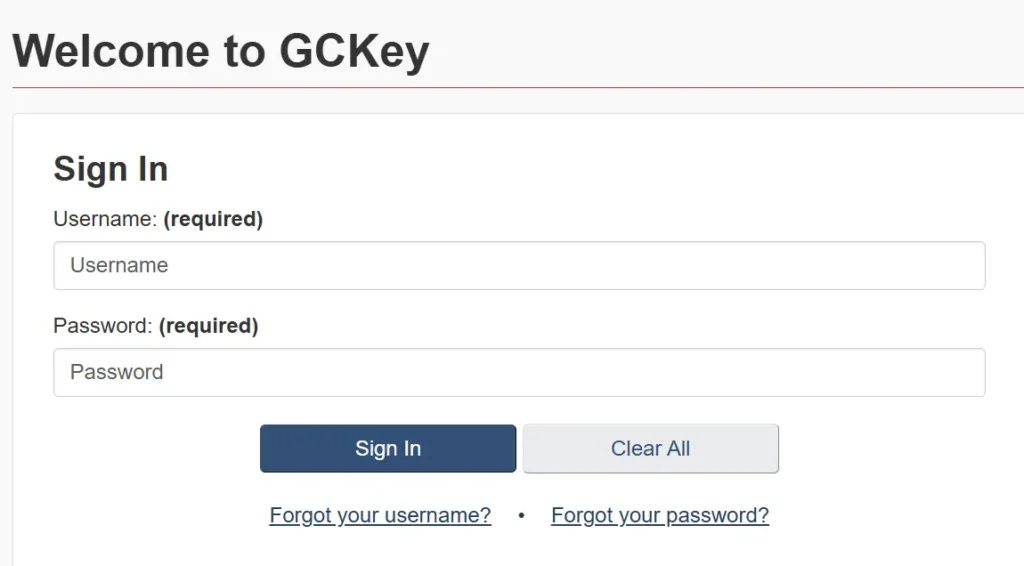
Overview of GCKey Authentication
GCKey is a secure sign-in service from the Government of Canada. It gives you a way to log in to different government portals, like immigration, veterans affairs, and environmental services.
You need to create a unique GCKey username and password. Once you set up your credentials, you can use them to access any participating online government service.
GCKey doesn’t automatically create accounts for specific agencies. Every time you want to use a new portal, you might need to link your GCKey to that service.
This setup makes GCKey flexible for managing access to all sorts of federal services without juggling a bunch of logins.
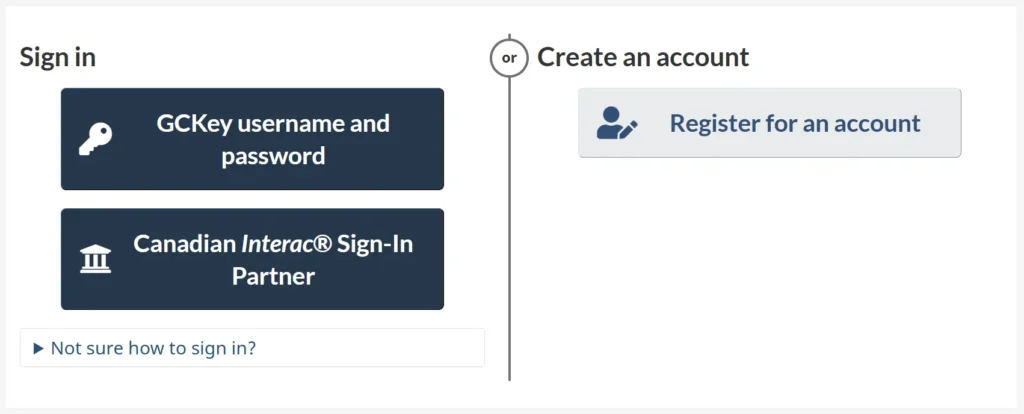
Who Needs a GCKey Account
If you need to access Canadian government services online, you probably need a GCKey account. Maybe you’re applying for immigration, looking for federal student loans, or checking veterans’ benefits.
Not every government site uses GCKey, though. For instance, the Canada Revenue Agency has its own login system. Still, most federal departments that serve the public rely on GCKey as a main sign-in.
GCKey is available to Canadian citizens, permanent residents, and even some foreign residents who need access to services. It’s meant to serve a pretty wide range of people inside and outside Canada.
GCKey Security Features
Security is a big part of the GCKey login system. Each username and password is unique and encrypted, making unauthorized access a lot harder.
The system requires strong passwords and lets you reset credentials if needed. GCKey also uses two-factor authentication for extra safety.
After you enter your username and password, you might need to type in a code sent to your email or phone. This blocks a lot of common threats.
The government doesn’t store your personal details within GCKey itself. GCKey just manages credentials and verification, so your info stays with each service. Security questions, timed logouts, and recovery options help keep your account safe.
How To Access Your GCKey Account
To get into your GCKey account, you need to use official Government of Canada websites and have your sign-in details ready. You’ll need to follow a few steps and know what info to have on hand.
Navigating the Official Login Portal
Start on an official Government of Canada website, like Immigration, Refugees and Citizenship Canada (IRCC) or Service Canada. Look for the “Sign in” or “GCKey” button—usually right on the main sign-in page.
Don’t use old bookmarks or saved links, since those might not work or could cause security headaches. It’s just safer to type the official address straight into your browser.
If you see options for bank partners, make sure you pick the right login method (GCKey or bank partner).
Step-by-Step GCKey Sign In Guide
- Go to the correct sign in page by typing the official web address.
- Click the “Sign in with GCKey” button to continue.
- Enter the GCKey username and password in the boxes provided.
- If two-step verification is enabled, follow the instructions to enter the code sent by email or phone.
- Click “Sign in” to access the account.
- After signing in, select the service or application needed.
If you forget your username or password, use the “Forgot your username or password?” link and follow the steps. If you still can’t get in, you can create a new GCKey, but you’ll have to link your old applications to the new account.
Required Credentials and Information
You’ll need a registered GCKey username and password to sign in. The username is a unique ID you created during registration, and your password has to meet the Government of Canada’s security rules.
If you set up two-factor authentication, you’ll also need access to the email you used. Sometimes, recovery questions or backup codes are needed for account recovery or extra security.
Having this info handy makes logging in way smoother. Here’s a quick table:
| Credential | Required? |
|---|---|
| GCKey username | Yes |
| GCKey password | Yes |
| Registered email | If two-step is enabled |
| Recovery questions | For password recovery |
Keep your credentials secure and updated to avoid account problems.
GCKey Username and Password Management
Managing your GCKey username and password is key for getting into Government of Canada services online. These credentials help keep your account safe and let you control your information.
Creating a GCKey Username
To create a GCKey username, head to the GCKey sign-in page. You’ll be asked to pick a unique username and password that fits the system’s requirements.
The username needs to be 8 to 16 characters, and your password has to meet complexity rules. After that, you set up security questions and answers for account recovery.
It’s best to pick questions and answers that are easy for you to remember but tough for others to guess. Once you fill everything in, your account is created.
Now you can use your GCKey username and password to sign in to supported government services. Don’t share your login info, and keep it somewhere safe.
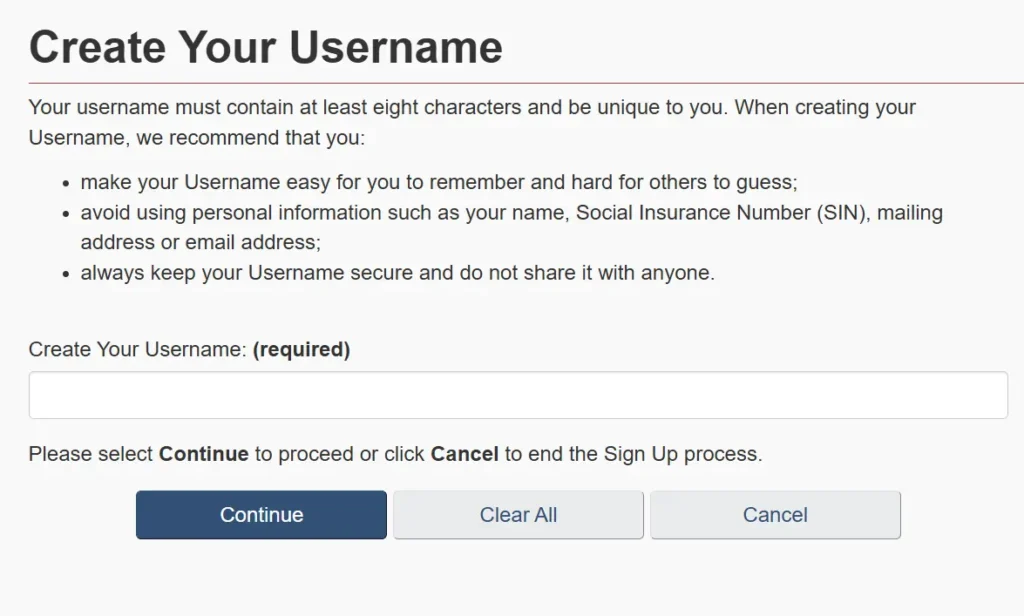
Resetting Your Password
If you forget your GCKey password, you can reset it online. Click the “Forgot your password?” link on the GCKey login page and follow the instructions.
You’ll need to answer your security questions exactly as you did when you set up the account. If your answers match, you can set a new password.
Once you set a new password, you should have access to government services again. If you can’t recover your account, you’ll need to create a new GCKey and link it to your existing application or profile.
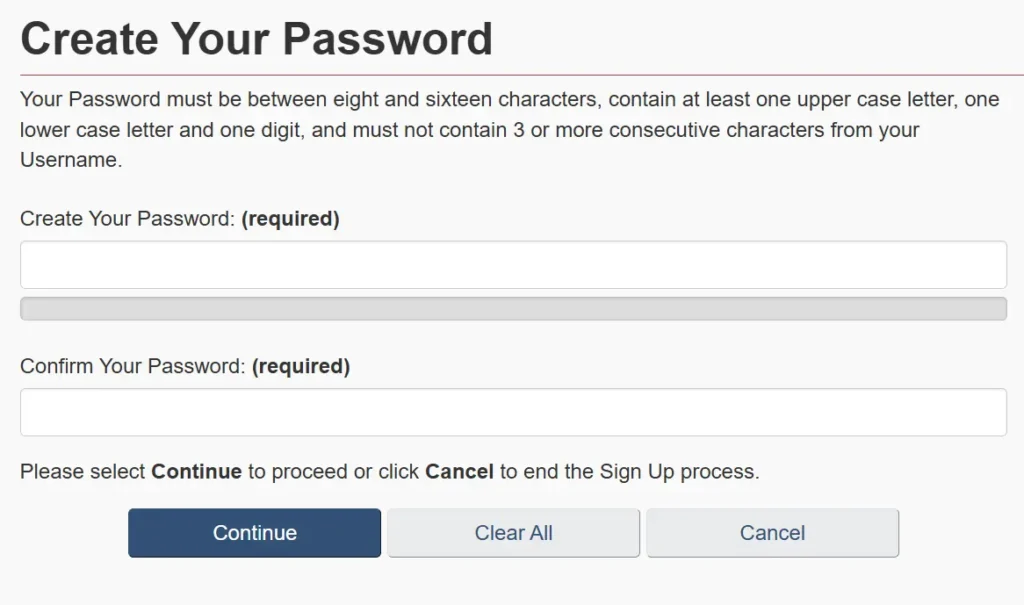
Changing Your Recovery Information
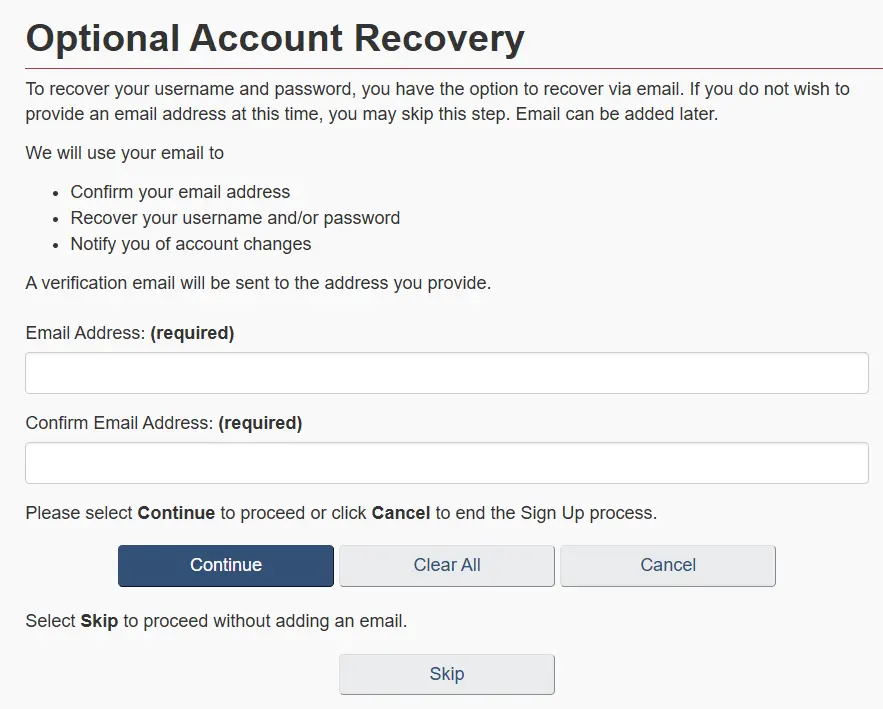
You can change recovery info like your security questions or email after logging in. Just go to your profile settings and update your recovery options.
It’s smart to do this if you think your account is at risk or if your info changes. The system will walk you through the steps.
Keeping recovery info up to date is a good habit. It makes it way easier to get back into your account if you run into trouble.

Troubleshooting GCKey Login Issues
People run into login problems all the time—forgotten usernames, lockouts, technical errors. Usually, you can fix these by following a few steps or reaching out to the right support.
Recovering Forgotten Usernames
If you forget your GCKey username, use the recovery process. There’s a “Forgot your username?” link on the GCKey login page—click it and enter the email you used to create the account.
You might also have to answer one or more recovery questions. If your info matches, you’ll get instructions by email.
If you don’t have access to that email anymore, you’ll need to create a new GCKey. System support can’t recover your username without a valid email.
Honestly, it helps to write down your GCKey username and keep it somewhere safe. Password managers work, too.
Account Lockouts and Timeouts
Your GCKey account might get locked if you enter the wrong password too many times. Usually, this lockout lasts 15 to 30 minutes, and then you can try again.
Timeouts happen if you’re inactive for too long, so the system logs you out for security. Clearing your browser cache, restarting the browser, or switching to another browser (like Chrome, Edge, or Firefox) can sometimes fix technical problems.
Table: Common Issues and Quick Fixes
| Issue | Solution |
|---|---|
| Locked account | Wait and retry after 30 minutes |
| Timeout | Log in again; clear browser cache |
| Wrong password | Reset using ‘Forgot your password’ |
Support Resources and Contact Information
If self-service fixes don’t work, you can get help. GCKey reps can help with login problems like username, password, or two-factor authentication issues, but they can’t see your applications or IRCC account details.
Check the GCKey help page or the support email listed on the login site for help. If you hit a technical wall, these are your best bet.
Don’t contact your bank or IRCC for GCKey login issues—they don’t handle those. If you have problems with a bank login linked to GCKey, contact your bank. For GCKey-specific stuff, stick with the official GCKey support channel.
Alternative Sign-In Options for Government of Canada Services
Besides GCKey, you can get into many Government of Canada services using other secure sign-in methods. These options give you more flexibility, and honestly, some people just find them easier if they already use online banking.
Using Interac Sign-In Partners
The Government of Canada also lets you use Interac Sign-In Partner instead of GCKey. With this, you sign in using your online banking username and password.
Over a dozen major Canadian banks and credit unions work as Sign-In Partners. When you choose this, your banking details aren’t shared with the government—just the basics needed to verify who you are.
If you already bank online, Interac Sign-In Partners can save you time. It’s familiar and quick. But if you don’t use a participating bank, you’ll need GCKey or another method.
Key features of Interac Sign-In Partners:
- Uses your existing bank’s log-in information
- No government receives your banking data
- Fast access if you already bank online
Differences Between GCKey and Other Methods
GCKey and Interac Sign-In Partners both give you secure access, but they’re not quite the same. GCKey is made just for Government of Canada services and you’ll need to set up a separate username and password.
Interac Sign-In Partners let you use your login info from a participating bank or credit union. It’s often handier, but only if your financial institution is in the program.
The main differences are:
| Feature | GCKey | Interac Sign-In Partner |
|---|---|---|
| Access setup | Create new account | Use existing banking credentials |
| Who issues credentials | Government of Canada | Your bank or credit union |
| Data shared | Only sign-in info | Only sign-in info |
| Who can use | Anyone | Must bank with a partner |
GCKey is available to everyone, while Interac works best if you already use online banking with a partner institution. Both options keep your information safe, but the right choice really depends on what you need.
Frequently Asked Questions
GCKey login is managed by the Government of Canada. It lets you securely access a bunch of federal online services.
People often wonder about password resets, account access, creating new accounts, and linking government applications. It can get confusing, honestly.
How can I reset my GCKey password if I’ve forgotten it?
If you forgot your GCKey password, just head to the GCKey sign-in page. Click “Forgot your password?” and follow the steps.
You’ll have to answer your recovery questions to finish resetting your password. It’s usually pretty straightforward, unless you forget those answers too—then it gets tricky.
What should I do if I’m locked out of my GCKey account?
When your GCKey account gets locked, wait a bit and try again. If it still won’t let you in, use the “Forgot your username?” or “Forgot your password?” links for help.
If nothing works, you might need to register for a new GCKey. Not ideal, but sometimes that’s the only way.
Is it possible to have more than one GCKey account?
You can have more than one GCKey account if you want. But honestly, it’s better if each person sticks to just one account—less confusion that way.
How do I link my immigration application to my GCKey?
Sign in with your GCKey, then pick the government service you need, like IRCC. Follow the prompts to enter your application details and link them to your profile.
What are the steps for signing up for a new GCKey account?
Go to the GCKey registration page and click “Sign Up.” Make a username and password, confirm your email if they ask, and set your recovery questions.
After that, you’re good to go—your GCKey will get you into government services online.
Where can I find help if I’m having technical issues with GCKey login?
Start by checking the help section or the FAQs on the GCKey site, or the web page for the specific Government of Canada service you’re trying to use.
If things still aren’t working, try calling their support line. You can also submit a request through the help portal—sometimes that’s faster than waiting on hold.